

Free cutting list template (PDF) and the cutting list format that scans
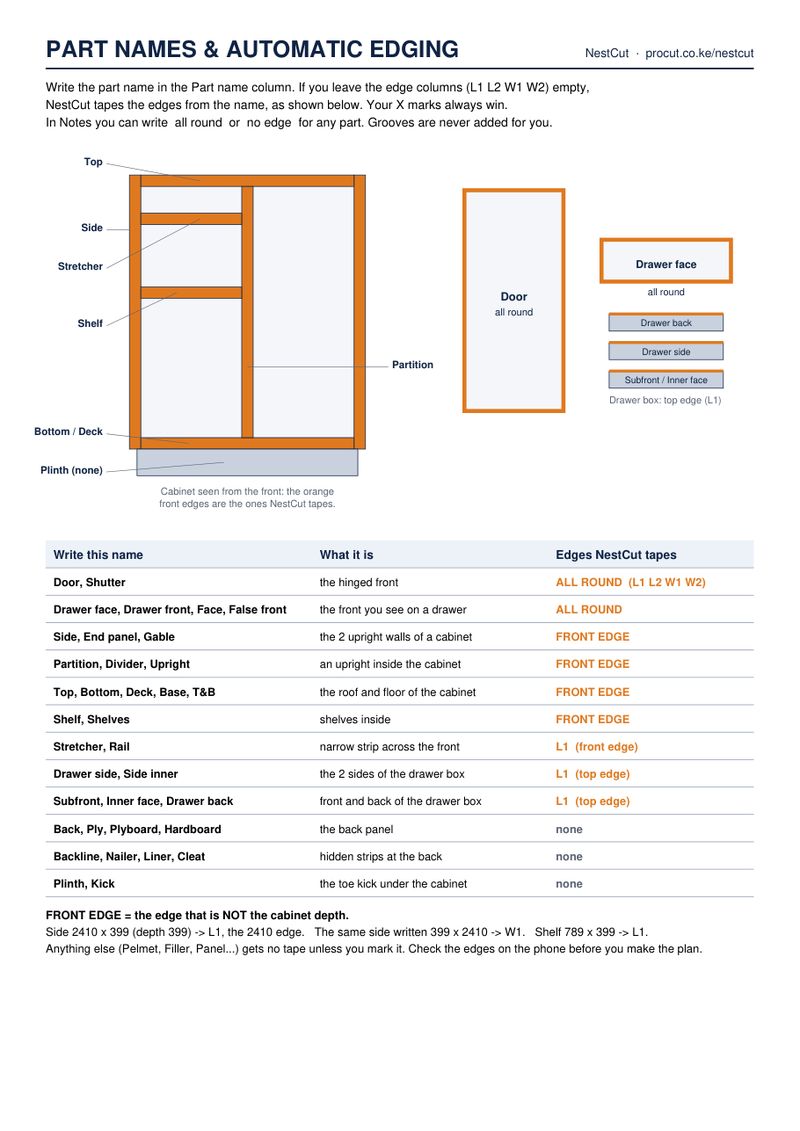
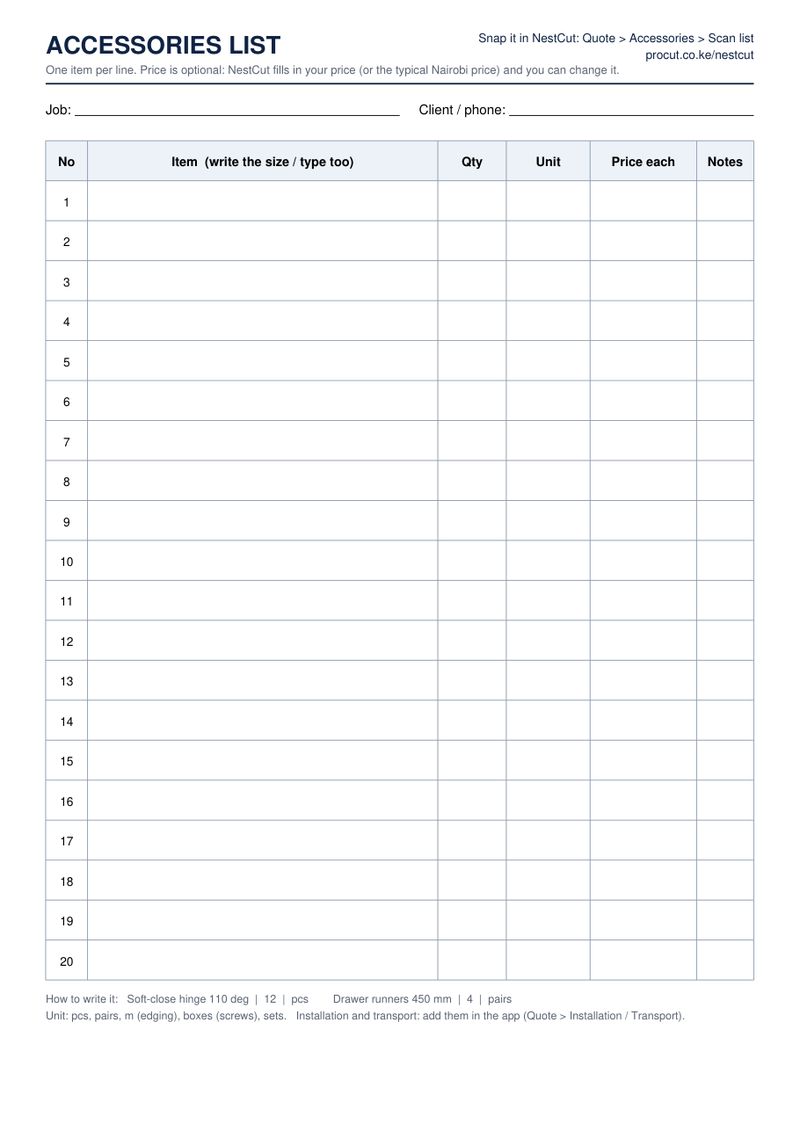
Print it, fill it in by hand, and snap it with NestCut. Four A4 pages: two cutting-list pages with 40 rows, a guide to part names and automatic edging, and an accessories list.
What's in the template
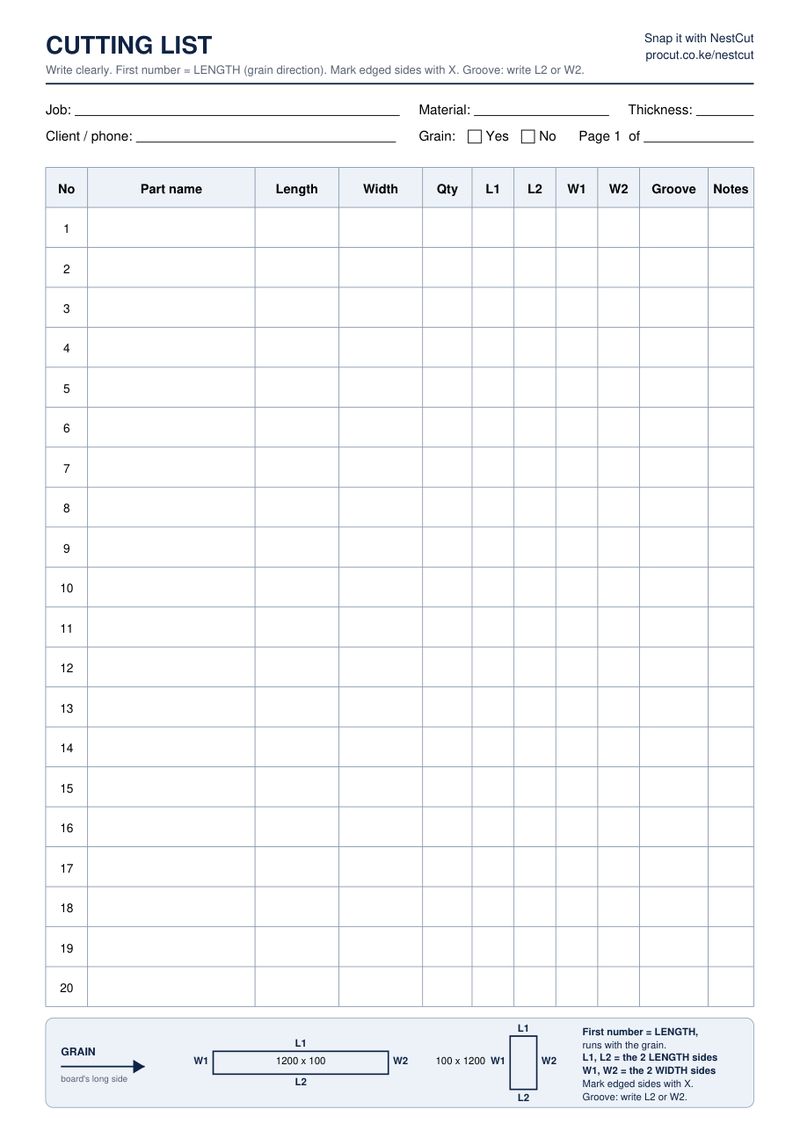
The cutting list format, column by column
| Column | What to write |
|---|---|
| No | Already printed: 1 to 40 across the two pages. |
| Part name | What the piece is: Side, Bottom, Shelf, Door, Drawer face… A heading above a group (Cabinet A, Wardrobe) is added to each name. |
| Length | The first size, in mm. On woodgrain boards the length runs along the grain. |
| Width | The second size, in mm. |
| Qty | How many pieces. |
| L1, L2 | X on the long edges that get edge tape (L1 = the front or top edge). |
| W1, W2 | X on the short edges that get edge tape. |
| Groove | Write the edge that gets a groove, e.g. L2 for a back-panel or drawer-bottom groove. |
| Notes | Anything else: all round, no edge, a hole or a hinge note. |
Cutting list example
| Part name | Length | Width | Qty | Edging | Groove |
|---|---|---|---|---|---|
| Cabinet A - Side | 720 | 560 | 2 | L1 | |
| Cabinet A - Bottom | 764 | 560 | 1 | L1 | |
| Cabinet A - Top rail | 764 | 100 | 2 | L1 | |
| Cabinet A - Shelf | 762 | 520 | 1 | L1 | |
| Cabinet A - Door | 716 | 398 | 2 | all round | |
| Drawer side | 450 | 150 | 6 | L1 | L2 |
See the full worked example in how to make a kitchen cabinet cutting list.
Part names NestCut understands
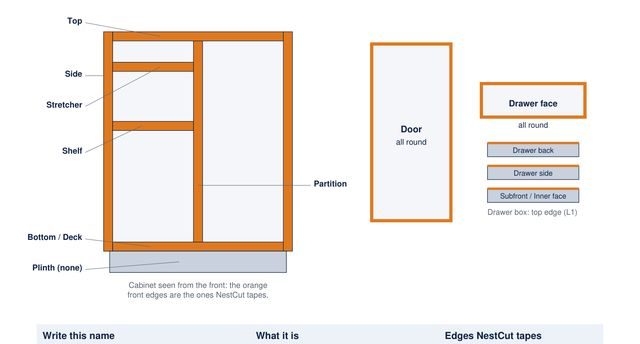
If you leave the edge columns empty, NestCut adds edging from the part name. Your own X marks always win.
| Write this name | What it is | Edges taped |
|---|---|---|
| Door, Shutter | the hinged front | all round (L1 L2 W1 W2) |
| Drawer face, Drawer front, False front | the front you see on a drawer | all round |
| Side, End panel, Gable | the two upright walls of a cabinet | front edge |
| Partition, Divider, Upright | an upright inside the cabinet | front edge |
| Top, Bottom, Deck, Base | the horizontal carcass panels | front edge |
| Shelf, Fixed shelf | a shelf | front edge |
| Rail, Stretcher, Top rail | the narrow strips across the top | front edge (L1) |
| Drawer side, Drawer back, Sub-front | the drawer box | top edge (L1) |
| Back, Ply, Hardboard | the back panel | none |
| Plinth, Kick board | the strip under base units | none unless marked |
The accessories list (page 4)
One item per line with its size or type (Soft-close hinge 110°, Drawer runners 450 mm), the quantity, the unit (pcs, pairs, m for edging, boxes for screws) and, if you know it, the price each. In the NestCut quote, tap Scan list: the items go into the quote's accessories section with prices filled in.
Printing tips
- Print on A4 at 100% (no "fit to page").
- Print only pages 1–2 when you just need cutting lists; page 3 is a reference.
- Use a dark pen; pencil is harder to read in photos.
Frequently asked questions
What is a cutting list?
A list of every piece to cut from boards: the part name, length, width, quantity, the edges that get edge tape and any groove. The yard or the saw operator cuts from it.
What is the right cutting list format?
One part per line: part name, length (along the grain) × width × quantity, then the taped edges (L1, L2, W1, W2) and grooves. Keep the same order on every line.
Is the template free?
Yes. Download the PDF, print as many copies as you need and share it with other fundis.
Can I use my own paper?
Yes. NestCut reads any clear handwritten list; the template just makes it easier.
What do L1, L2, W1 and W2 mean?
L1 and L2 are the two long (length) edges, W1 and W2 the two short (width) edges. Put an X under each edge that gets edge tape.