

The cutting list scanner app: from handwritten list to cutting plan
NestCut is a cutting list scanner app for Android. Scan the pages of a handwritten cutting list with your phone. NestCut reads every part, you check each row against your own handwriting, then make an optimised cutting plan, print a label for every piece, send your client a professional quote, or export straight to MaxCut. No re-typing.
Your first 20 scans are free when you sign in with your phone number.
From paper to plan in about a minute
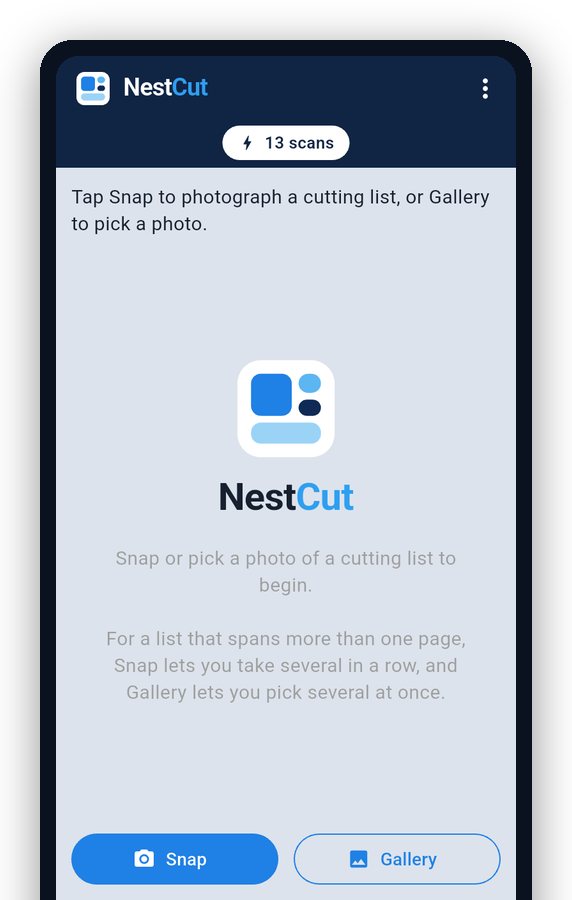 SnapPhotograph your handwritten cutting list, even across several pages, or pick photos from your gallery.
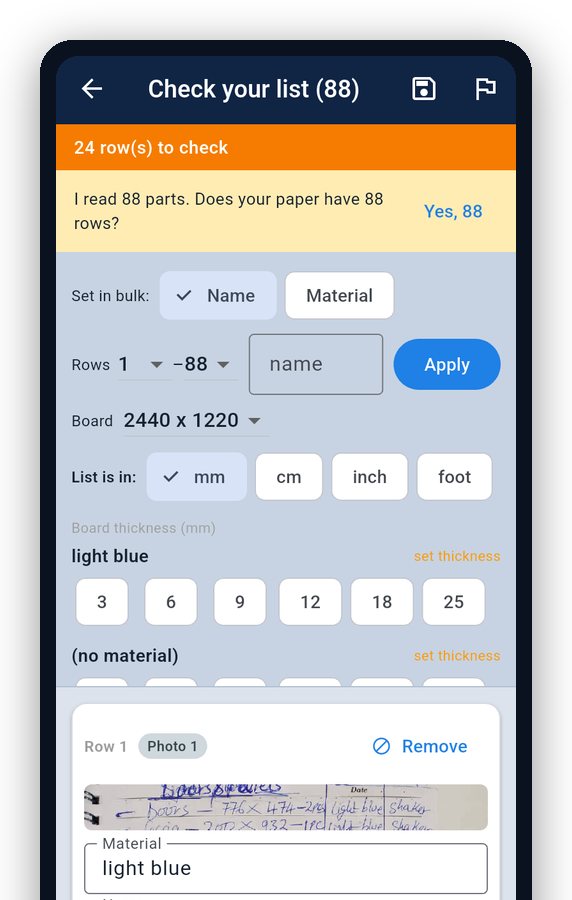 NestCut reads itEvery part: sizes, quantities, edging and grooves. Here, 88 parts from 4 photos.
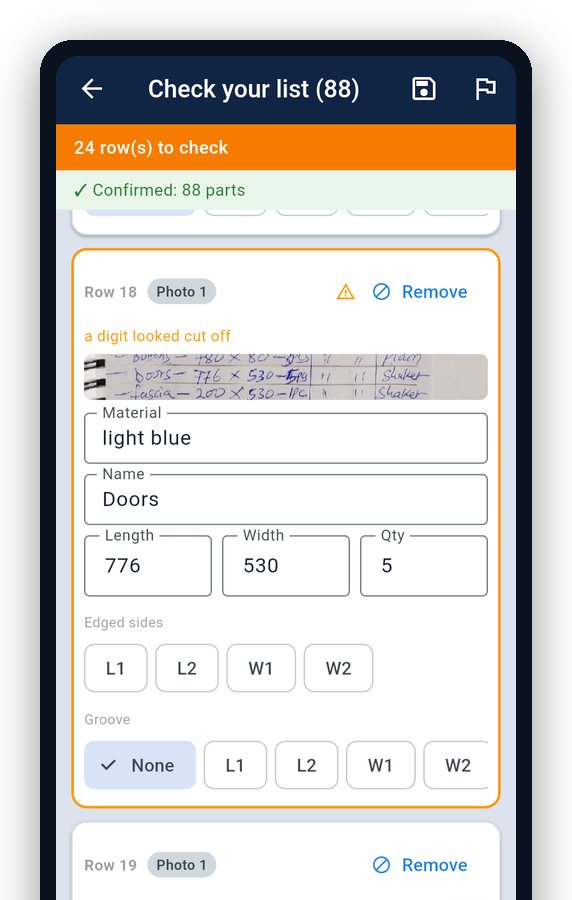 CheckYour own handwriting shows next to each line, and anything unusual is flagged.
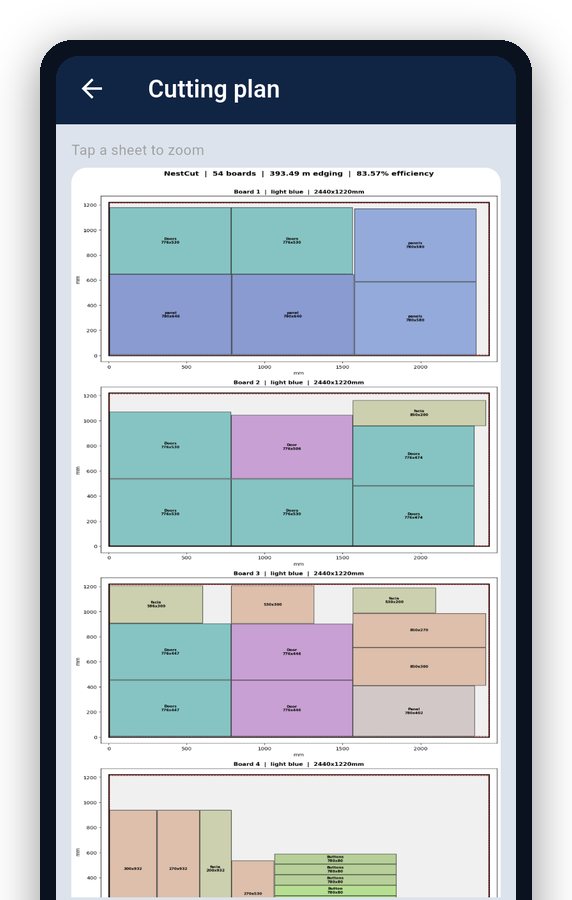 Cut & quoteAn optimised plan as a PDF, labels for every piece, a quote for your client, or a MaxCut file.
Less typing, fewer mistakes, better quotes
Accessories lists, scanned
Write the hinges, runners, handles and screws by hand, snap the page in the quote, and NestCut turns it into priced quote lines. Accessory scans don't use your cutting-list scans.
A ready price list
One tap loads typical Nairobi prices for 79 boards (PG Bison colours and 8×4 yard boards) and about 70 cabinet accessories. Change any price to your supplier's.
Boards by category
Pick boards from your own list or from typical boards grouped by category: plain colours, woodgrains, stones, melamine, MDF, plywood and blockboard. Search "oak 18".
Board size follows the board
Choose a PG Bison colour and the plan uses 2750 × 1830 sheets; choose a yard board and it uses 8×4 (2440 × 1220). Mixed sizes are flagged.
Edging from the part name
No edge ticks on the paper? Doors and drawer faces get edging all round, sides and shelves on the front edge. Your own X marks always win.
Sharper number reading
A second, zoomed read checks the numbers, so an open-top 8 isn't taken for a 5. Section headings like "Cabinet A" become part names, not materials.
A cutting list app for everyone who cuts boards
Fundis (fundi wa mbao)
Write the cutting list by hand the way you always do, scan it, and know exactly how many boards the job needs before you buy.
Kitchen cabinet makers & installers
Base units, wall units and tall units on one list, with edging and grooves, ready for the saw or MaxCut.
Wardrobe makers & installers
Long lists for fitted and sliding wardrobes, across several pages, scanned in one go.
Fitting guys
Got a list from the designer or the client? Scan it and check every row against the handwriting before anything is cut.
Cutting yards
Clean, checked lists at the counter, labels on every piece and MaxCut files instead of retyping.
Carpenters who quote
Turn the cutting plan into a priced quote with boards, cutting, accessories, installation and transport, under your workshop name.
Reads lists the way fundis write them
Your order, your grain
Sizes are read in the order you wrote them. The first number is the length, along the grain, and NestCut never swaps them.
Edging & grooves
Edging and grooving notes are picked up as you write them, so they're not forgotten at the saw.
Checks before you cut
Oversized parts, missing sizes, possible misread digits and crossed-out rows are flagged. NestCut also asks you to confirm how many rows your paper has.
Fix many rows at once
Set the material or name for a range of rows, for every row of one material, or for all rows that have no material yet.
Your saw, your edge tape
Board size, trim and kerf are remembered. 1 mm or 0.4 mm edge tape is taken off before cutting, so every piece finishes exact.
Optimised layouts
Parts are packed to make the most of every board: 8×4 ft, 10×4 ft, PG Bison 2750 × 1830 or your own size, with grain on or off per material.
A label on every piece
Print A4 sheets of 24 labels with the size, board, panel number and the edges to tape. Start at any label on a half-used sheet.
Professional quotes
Boards and edging, cutting, accessories, installation and transport, each with a subtotal, in three designs, with your logo and M-Pesa details.
Help on every screen
Tap the small ? next to a section for a picture and a short explanation. Save jobs, or type a list when there's no paper.
Export your cutting list to MaxCut from your phone
Many cutting yards in Kenya optimise boards in MaxCut, but someone still has to type every part in. NestCut does that step on your Android phone: scan the list, check it, tap MaxCut, and share the file on WhatsApp, email or Drive. The file uses MaxCut's own import columns: part name, length, width, quantity, material, edging on each side and grooving.
No MaxCut? NestCut is also a cut list optimizer app: tap Make plan for an optimised board cutting plan as a PDF. More about NestCut and MaxCut →
Lists written on our form scan best
Print the free 4-page PDF: two cutting-list pages, a guide to part names and automatic edging, and an accessories list.
Pricing
- 20 free scans when you sign in with your phone number (with Google you start with 5, and get the rest when you add your number).
- Invite a fundi: when they do their first scan, you both get 10 free scans.
- Then top up with scan packs (valid 30 days), or go unlimited with a monthly plan. Labels, unlimited typed lists and unlimited quotes come with any pack.
- Payments go through Google Play. Current prices are shown in the app.
NestCut kwa fundi wa mbao
Piga picha ya cutting list yako iliyoandikwa kwa mkono. NestCut inasoma kila kipande (vipimo, idadi, edging na grooves) na kukupa mpango wa kukata mbao, lebo za kila kipande na quotation ya mteja.
Soma zaidi kwa KiswahiliFrequently asked questions
What is a cutting list scanner?
An app that reads a handwritten cutting list from a photo, so nobody has to type it. NestCut reads every part (sizes, quantities, edging and grooves), shows your handwriting next to each row for checking, then makes the cutting plan.
Is NestCut a cut list optimizer?
Yes. Tap Make plan and NestCut packs your parts onto boards (8×4 ft, 10×4 ft, PG Bison 2750 × 1830 or your own size) and gives you an optimised cutting plan as a PDF, with your saw kerf, trim and edge tape taken into account.
Is there a free cutting list app download?
NestCut is free to start: you get 20 free scans when you sign in with your phone number, and accessory-list scans are free. It is coming soon to Google Play; until then you can get early access through WhatsApp.
Is there a MaxCut app for Android?
NestCut isn't MaxCut, but it works with it: scan the list on your Android phone and export a MaxCut import file to share with the yard's computer.
Does it read any handwriting?
Clear lists work best, but NestCut is built for real workshop lists. You always see your own handwriting next to each line and can correct anything before making the plan.
Can NestCut make a quotation?
Yes. Add your workshop name, logo, M-Pesa details and prices once. NestCut prices the boards, edging and cutting from the plan, and you add accessories (typed or scanned from a handwritten list), installation and transport. Choose a classic, simple or trade design and share the PDF.
Which phones does it work on?
Android phones. iPhone isn't available yet.
How do I sign in?
With your Google account, or with your phone number and a one-time SMS code. There's no password to remember.
What happens to my photos and lists?
Scan photos are sent to our server to read your list. To make the scanner more accurate, we keep a copy together with any corrections you made, for up to 12 months (2 days if you made no corrections). Google's paid AI service reads the photos and does not use them to train its own AI. Saved jobs stay on your account until you delete them, and everything is deleted when you delete your account.
Can I delete my account?
Yes, any time: in the app menu under Delete account, or on the account deletion page.
Who makes NestCut?
NestCut is made in Kenya by Procut, a carpentry and CNC business in Juja, Kiambu County.